Screens → functional documentation
Make the interface explain itself
Turn screens into functional documentation. Bring fields, actions and source images together in an editable document.
Turn screens, SQL and interviews into a connected knowledge base: documents, diagrams and manuals, with an AI assistant working alongside you.
Your starting point
One project. Connected sources.
Flow, data and rules in the same view.
What should the approval manual explain?
Bring the flow and the data together:
For software analysts, developers and consultants who need to turn scattered information into documentation people can use.
Screens → functional documentation
Turn screens into functional documentation. Bring fields, actions and source images together in an editable document.
SQL → dictionary + relationships
Import SQL, inspect tables and relationships, and build a data dictionary alongside your business rules.
Requirements → diagrams
Describe behavior, architecture and processes with configurable diagrams and editable PlantUML source.
Interviews + screens → manuals
Combine interviews, screens and database context. Organize procedures, select sources and review consistency.
Project context → useful conversations
Ask the assistant to consult your project, create documents or update existing content. Follow changes through version history.
Explore the configurable diagram and visualization formats. Model interactions, structures, processes and plans in editable source.
Entities, attributes and relationships to discuss software structure.
26 configurable diagram and notation types. Synthetic editorial illustrations. Generate, edit and export PlantUML source in the app; public external rendering is disabled.
Use models for different tasks: text, images, supported media and conversations with tools. Your project is where sources and results stay together.
2.5 Flash · 2.5 Pro
Sonnet 4.5
Choose in the model settings by purpose. Availability, source compatibility and execution limits apply; the catalog is not a promise that every model can run.
Go beyond a blank conversation. Ask questions about your artifacts, read a report, create a document or refine an existing one using the project context.
Review the credit estimate before an operation. AI output needs your review.
Move between screens, database, diagrams and manuals without losing the project context. Keep the assistant close and your documentation organized.
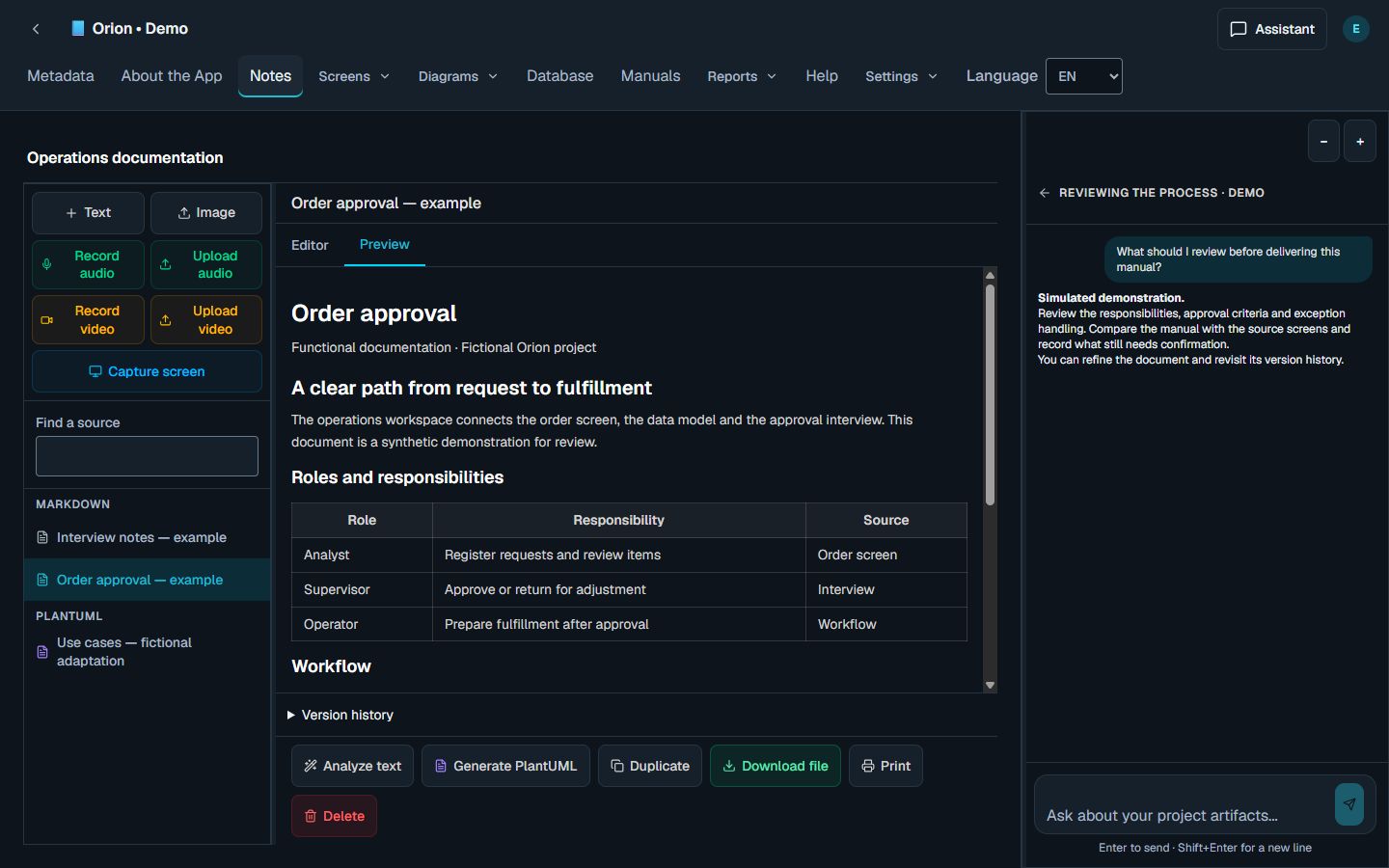
Screens, SQL, notes and supported interview media.
Select the task, eligible model and check the credit estimate.
Use AI, edit the document and compare it with its sources.
Assemble reports and export reviewed documents.
One balance of CodeCredits for AI and requested file transfers. Monthly refills, an estimate before use, and no automatic purchase on this page.
For your first organized projects
R$59/month
BRL · Brazilian reais
1,000 CodeCredits/cycle
For regular work across several projects
R$149/month
BRL · Brazilian reais
3,000 CodeCredits/cycle
For a larger documentation workload
R$399/month
BRL · Brazilian reais
8,000 CodeCredits/cycle
Review AI output, follow document changes and keep sources close. Check our privacy policy for provider processing, retention and deletion.
Privacy and your dataExplore the product. Find your workflow. Choose your plan.