Skip to content
Code Analysis solutions

Connect what you know. Document what matters.

From understanding an existing system to delivering a manual: bring analysis, data, diagrams and AI into the same project.

Solutions for your work

Screens → functional documentation

Make the interface explain itself

Turn screens into functional documentation. Bring fields, actions and source images together in an editable document.

Keep screenshots and editable text side by side, organize folders and assemble reports for delivery.
SQL → dictionary + relationships

Read your database as a system

Import SQL, inspect tables and relationships, and build a data dictionary alongside your business rules.

Review the SQL, the structure and the rule catalog together. Basic dictionary and relational source extraction use SQL parsing.

Requirements → diagrams

Give structure to complex ideas

Describe behavior, architecture and processes with configurable diagrams and editable PlantUML source.

Configure the formats that fit the project. Generate, edit and export PlantUML source; explore the illustrated format library below.

Interviews + screens → manuals

Turn knowledge into a manual

Combine interviews, screens and database context. Organize procedures, select sources and review consistency.

Select the screens that belong in the manual, compare the consistency matrix and use revision history to track refinements.

Project context → useful conversations

Work through the details with AI

Ask the assistant to consult your project, create documents or update existing content. Follow changes through version history.

The chat can list modules and artifacts, read sources and reports, and create or update Markdown and PlantUML. Review changes and restore a previous version when needed.

Explore the diagram library

Choose the intelligence. Keep the context.

Use models for different tasks: text, images, supported media and conversations with tools. Your project is where sources and results stay together.

The model that fits the task

G
Google Gemini

2.5 Flash · 2.5 Pro

A
Anthropic Claude

Sonnet 4.5

Choose in the model settings by purpose. Availability, source compatibility and execution limits apply; the catalog is not a promise that every model can run.

A chat that works with your project

Go beyond a blank conversation. Ask questions about your artifacts, read a report, create a document or refine an existing one using the project context.

  • Consult project sources
  • Create and edit Markdown or PlantUML
  • Review changes and restore versions

Review the credit estimate before an operation. AI output needs your review.

Your sources. Your documents. One workspace.

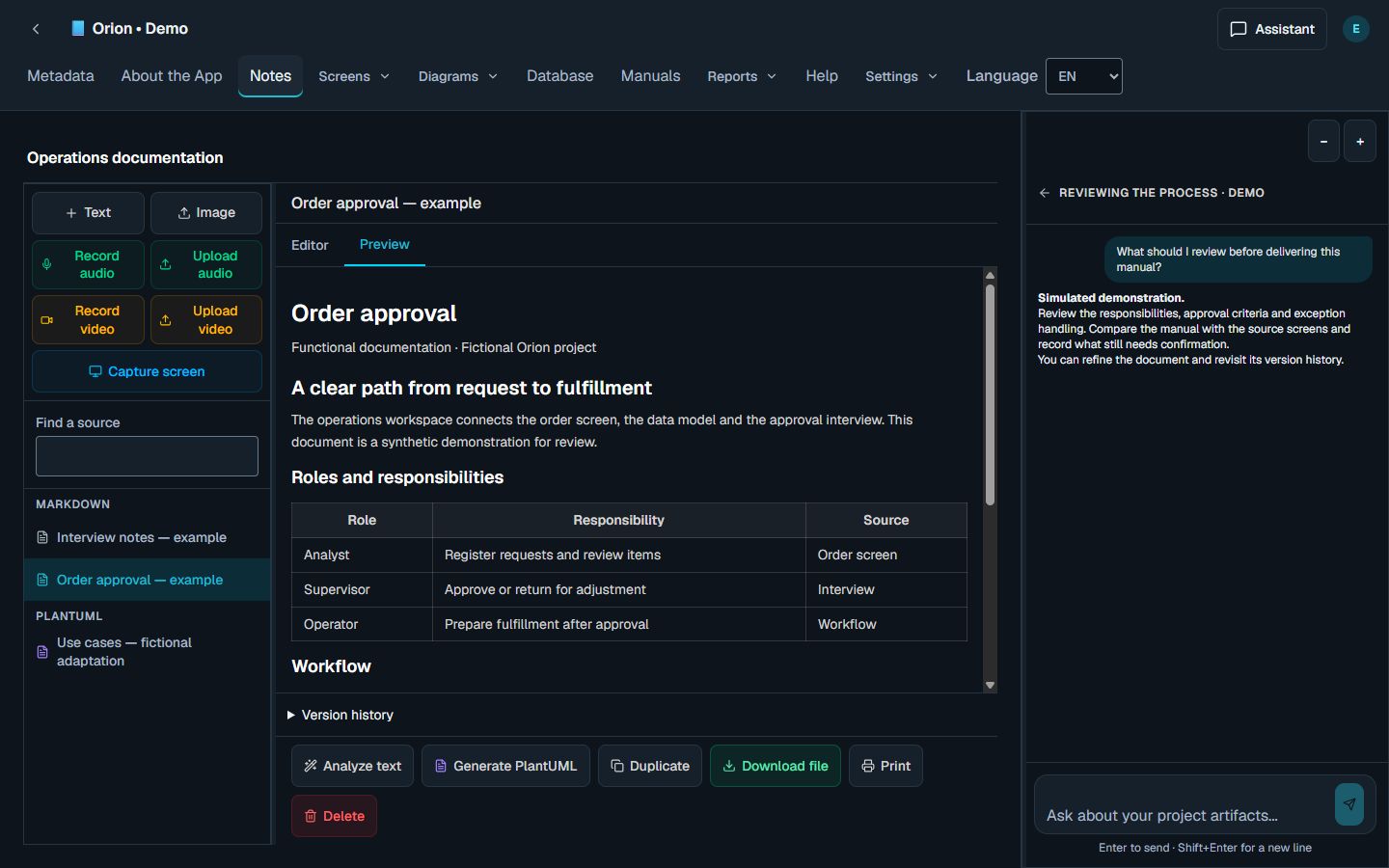
Move between screens, database, diagrams and manuals without losing the project context. Keep the assistant close and your documentation organized.

Actual Code Analysis workspace with synthetic sources, an editable functional document and the project assistant
Actual product screenshot with synthetic test data. Click to enlarge in a new tab.
Documents you can editChanges you can revisitMarkdown, DOCX and PlantUML

See where Code Analysis fits your work.